

-
About Common Goods 4
-
Eligibility & Getting Started 6
-
Fees & Financials 7
-
How It Works - Operations 6
-
Shipping & Customer Service 6
-
Visibility & Growth 3
-
Policies & Legal 5
-
Support 5
-
Technical Setup & Policies : Shopify Collective 0
-
Shopify Collective - Getting Started 21
-
Shopify Collective - Community Guidelines 2
-
Shopify Collective - Finding & Connecting with Retailers 7
-
Shopify Collective - Price Lists & Products 12
-
Shopify Collective - Shipping 6
-
Shopify Collective - Orders, Returns & Fulfillment 5
-
Shopify Collective - Payments & Taxes 11
-
Shopify Collective - Managing Your Account 3
-
-
Technical Setup & Policies : All Other Platforms 14
-
CG App - eCommerce Integrations 8
-
Payments : Stripe Integration


Vendors will need to create a Stripe account to get paid on their credit card or bank account. Vendors will need to follow Stripe's verification process.
Depending on your industry, this process can take a form a few days to a few weeks. The vendors will need to provide as a minimum:
- an identification document
- an incorporation number (for businesses)
- an IBAN or credit card number to get paid.
Register your payment information
Vendors can go in Garnet > Settings > Payment information to setup their Stripe information to receive payouts. Clicking Start onboarding will open a Stripe onboarding form regarding the vendor situation (KYC/KYB).
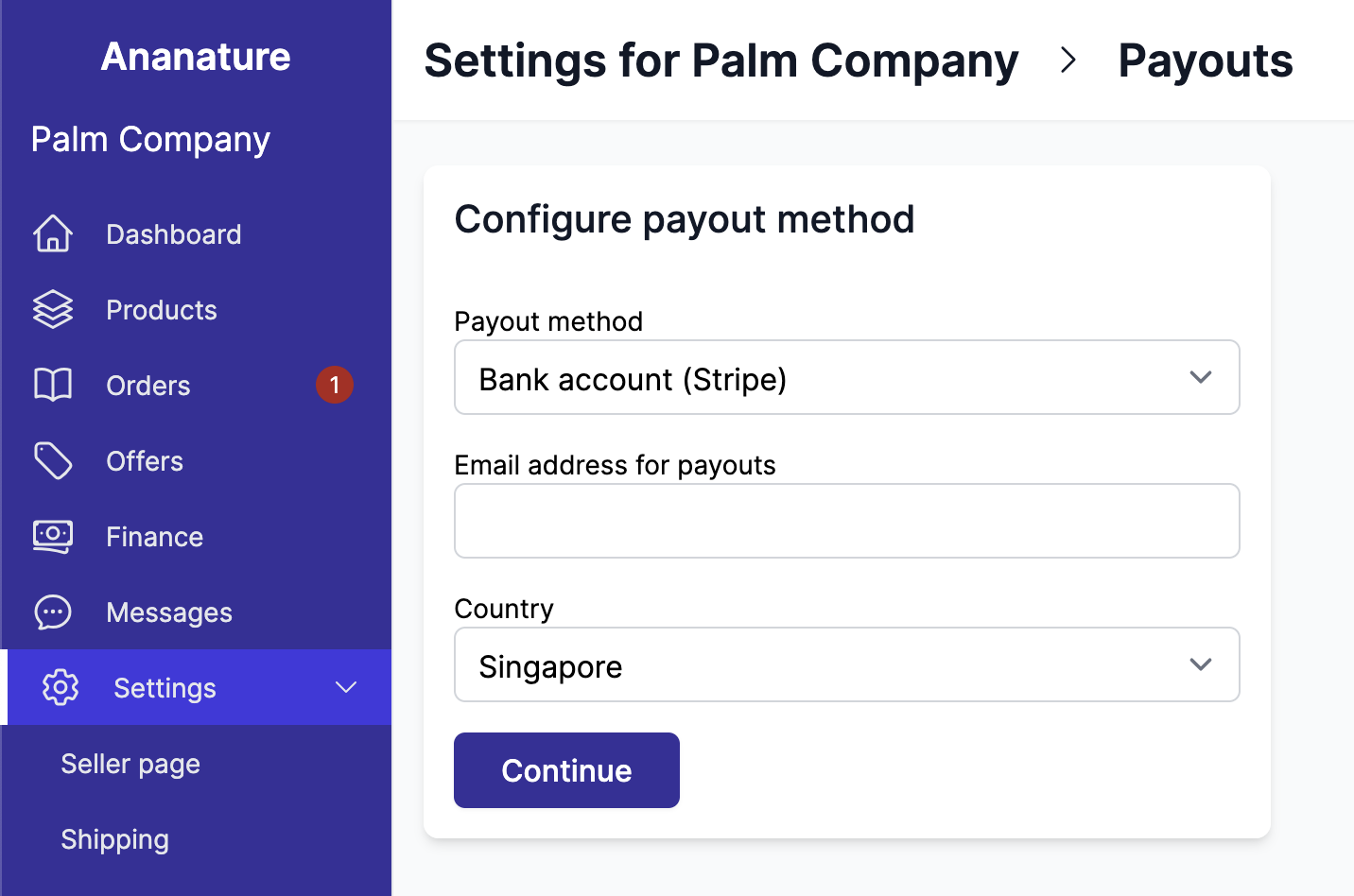
Payouts arrive in the currency of the vendor's Stripe account. A vendor based in Canada can receive USD even when the marketplace sells in CAD: Stripe converts the payment on arrival, and the received amount is visible in the vendor's Stripe dashboard. See vendors paid in another currency.
Video demonstration
Check our video to see:
- How to turn on the Stripe integration on Garnet
- How vendors can send their verification information
- What kind of information is requested
- How to pay your vendors.
Complete Stripe onboarding
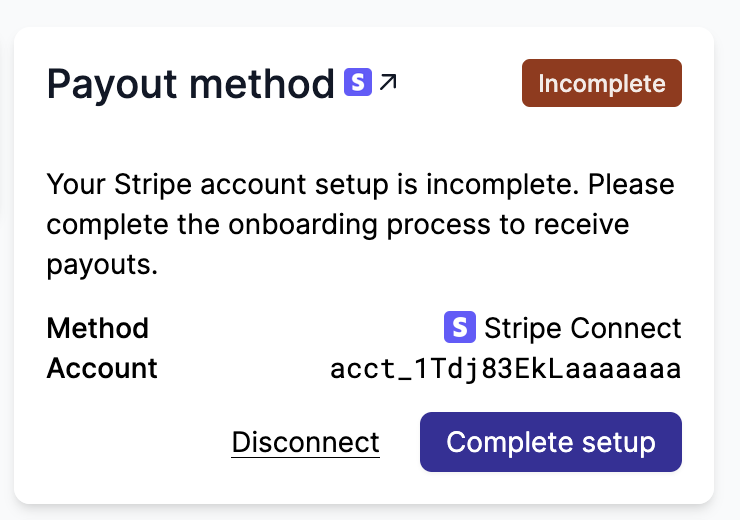
If a vendor started the Stripe onboarding but did not finish filling in all required details, their payout method will show as Incomplete. Vendors can complete their setup directly from Common Goods by clicking Complete setup in Settings > Payment information.
View dashboard and payouts
Once a vendor is registered with Stripe, they can see their payouts directly in the Common Goods app. The information is collected in real time from Stripe.
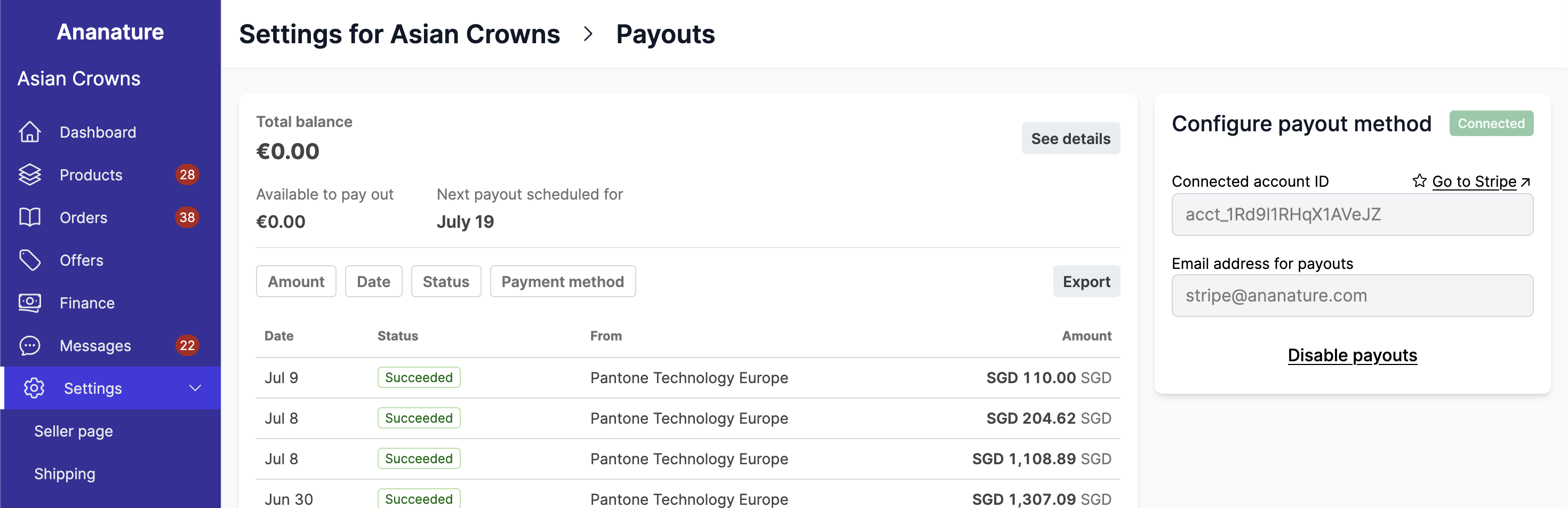
Transaction reports can be generated from this view.
To activate this feature, ensure the Stripe publishable key has been set in Admin Panel > Finance > Payout methods > Stripe Connect integration for payouts.


esc