

-
About Common Goods 4
-
Eligibility & Getting Started 6
-
Fees & Financials 7
-
How It Works - Operations 6
-
Shipping & Customer Service 6
-
Visibility & Growth 3
-
Policies & Legal 5
-
Support 5
-
Technical Setup & Policies : Shopify Collective 0
-
Shopify Collective - Getting Started 21
-
Shopify Collective - Community Guidelines 2
-
Shopify Collective - Finding & Connecting with Retailers 7
-
Shopify Collective - Price Lists & Products 12
-
Shopify Collective - Shipping 6
-
Shopify Collective - Orders, Returns & Fulfillment 5
-
Shopify Collective - Payments & Taxes 11
-
Shopify Collective - Managing Your Account 3
-
-
Technical Setup & Policies : All Other Platforms 14
-
CG App - eCommerce Integrations 8
-
Upload a product


Title, description, media
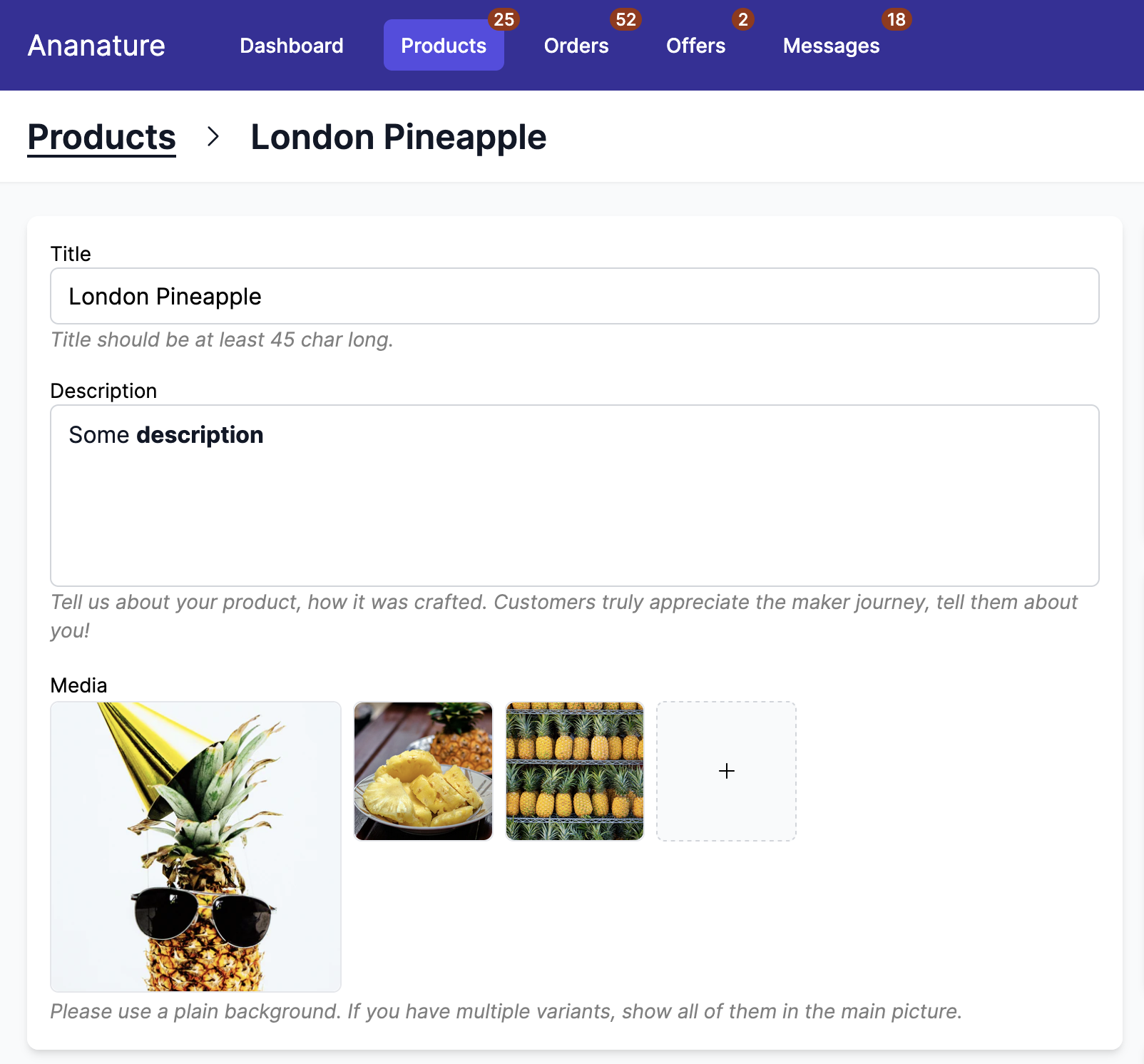
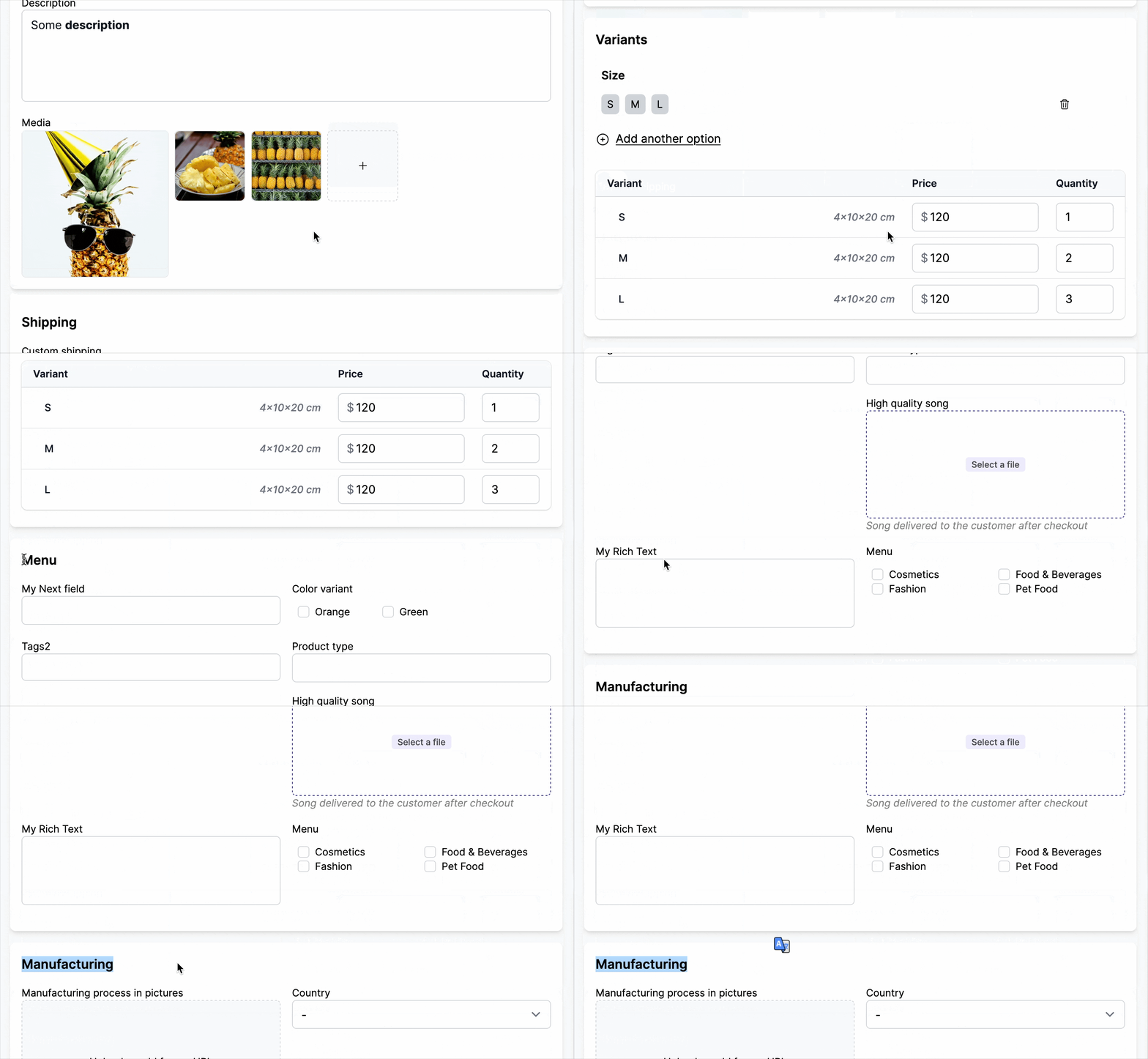
The user can set the product title, description and images. All of them will be mapped to Common Goods.
Description can use rich formatting. By selecting the text, the user can put them in bold, italic, add lists and more.
Common Goods supports up to 250 images per product.
- supported image extensions:
.png,.jpeg,.psd,.tiff,.bmp,.gif,.svg,.heic, and.webp - supported video extensions:
.mov,.mp4,.gif
Images are directly uploaded to our platform host, so large files will be optimized to customers and will not slow down the page speed.
Guidelines can be added below these fields in Admin Panel > Products > Product form > Guidelines.
Pricing, inventory
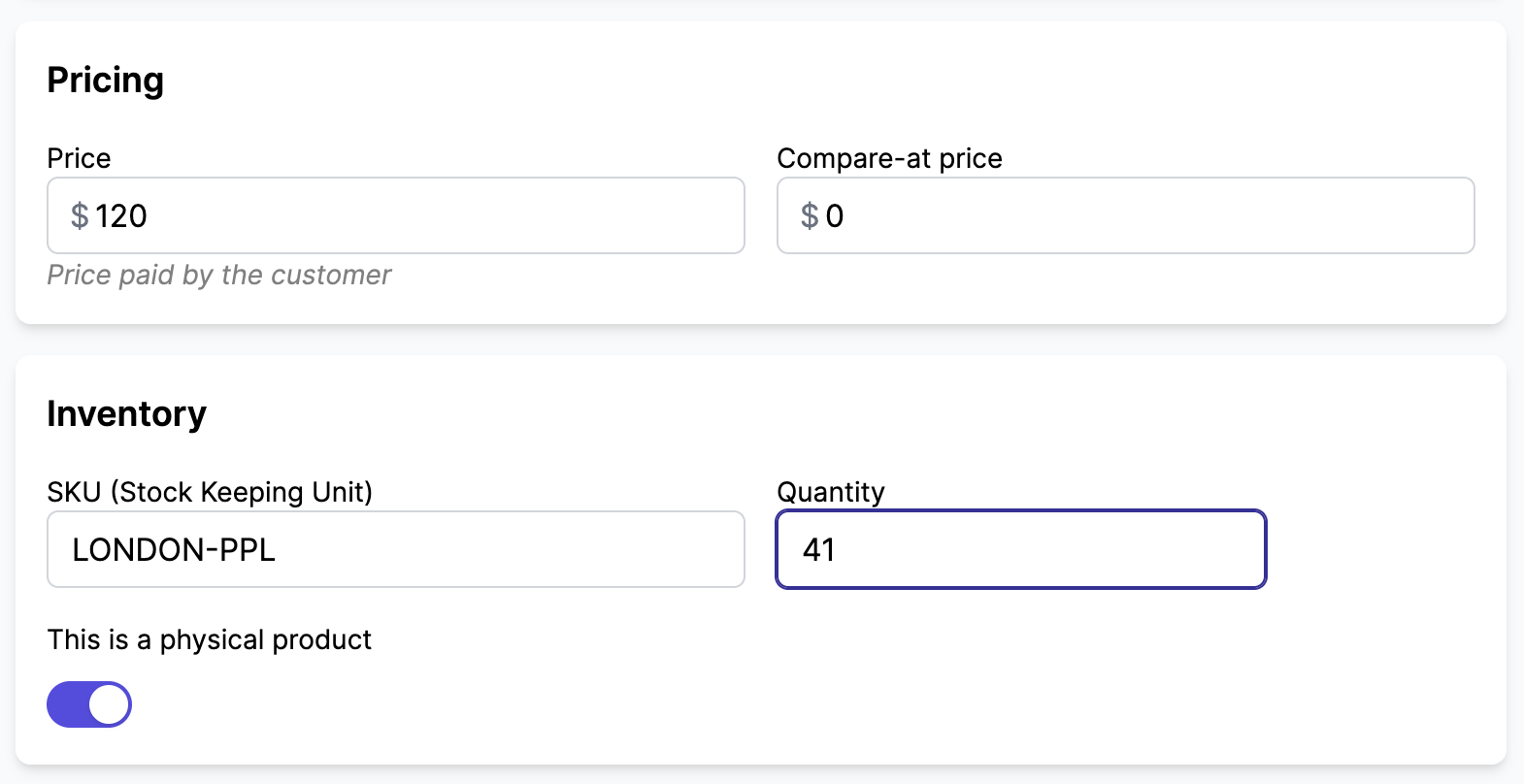
Common Goods supports a variety of pricing and inventory fields that can be enabled/disabled in Admin Panel > Products > Product form. For instance, you can hide or show the SKU, Compare Price, Barcode based on your business needs.
Bundles
Common Goods supports Shopify bundles — products made of several component products. When a product is a bundle, a Bundled card lists the products it contains.
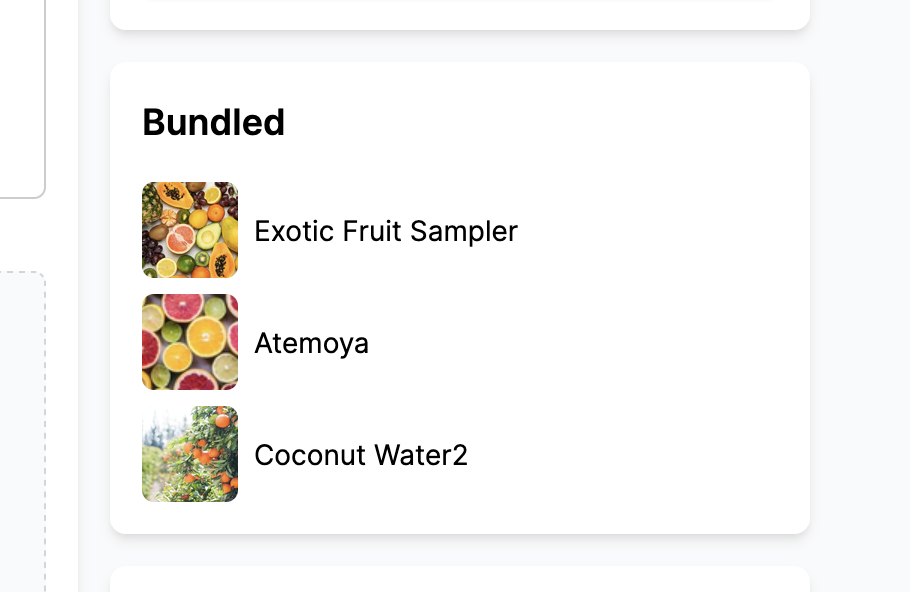
The stock of a bundle cannot be edited in your dashboard: it is automatically derived from its component products. To adjust availability, the vendor should change the stock of each individual product instead. As a result, the quantity field is disabled on bundle listings.
In the product list, bundles are prefixed with [Bundle] before their title so they are easy to spot.
Variants
When enabled in Admin Panel > Products > Product form, the user can add variation to the product. They can add up to 3 variations. The variations can have an unlimited number of options .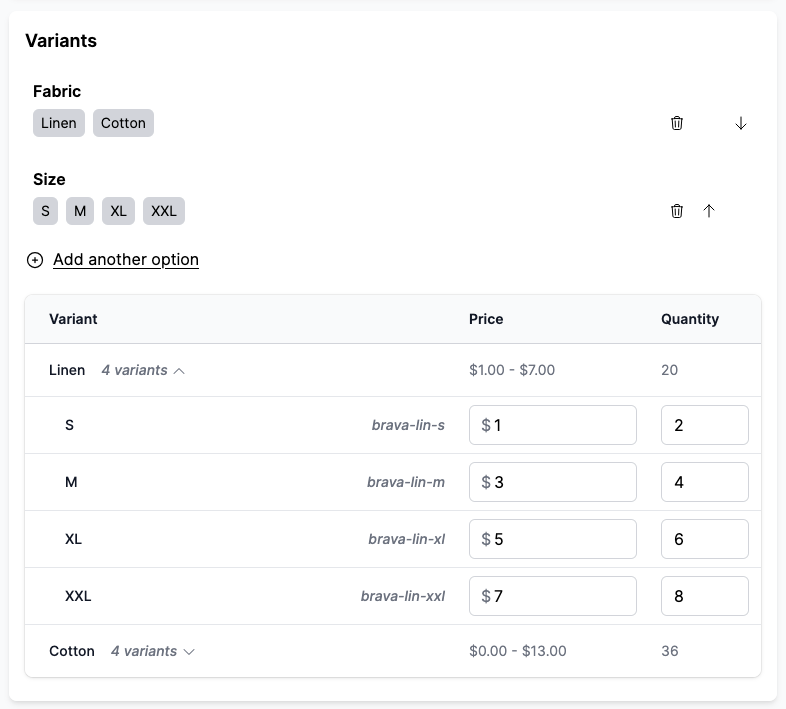
Common Goods supports linking metafields with variants. It enables the marketplace to have strictly defined variation and to prevent vendors from adding options inconsistent with the marketplace.
Product fields
We have detailed articles for product fields, they are business fields that the vendor can fill when creating the product. Internally, they represent metafields.
Product fields can be reordered, broken down in sections, and have conditional display. We support a large variety of field types such as text, images, products, list of text, files, multiple images and more.
Shipping
Displayed based on the settings. At most, the user can set:
- the product weight
- the product dimensions when using the live shipping rates
- the custom pickup when the vendor opt-in for local pickup
- the custom shipping to override the shipping at the product level.
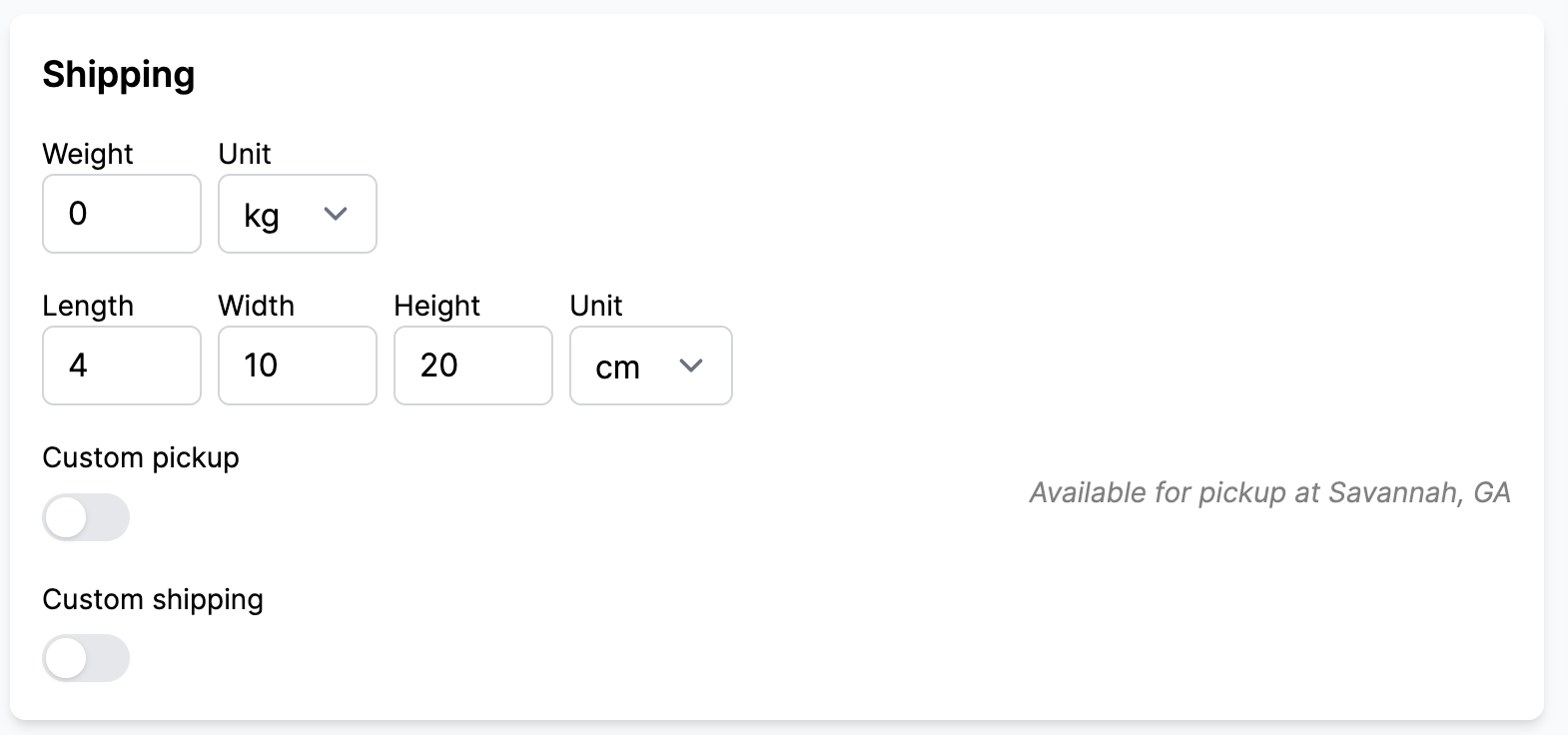
The shipping information will be used internally by Common Goods to compute the right shipping cost.
Save, approve, reject, archive, duplicate
By default, the vendor can save, archive, and duplicate their products. The admin can also approve and reject the product, learn more about approval.


esc