

-
About Common Goods 4
-
Eligibility & Getting Started 6
-
Fees & Financials 7
-
How It Works - Operations 6
-
Shipping & Customer Service 6
-
Visibility & Growth 3
-
Policies & Legal 5
-
Support 5
-
Technical Setup & Policies : Shopify Collective 0
-
Shopify Collective - Getting Started 21
-
Shopify Collective - Community Guidelines 2
-
Shopify Collective - Finding & Connecting with Retailers 7
-
Shopify Collective - Price Lists & Products 12
-
Shopify Collective - Shipping 6
-
Shopify Collective - Orders, Returns & Fulfillment 5
-
Shopify Collective - Payments & Taxes 11
-
Shopify Collective - Managing Your Account 3
-
-
Technical Setup & Policies : All Other Platforms 14
-
CG App - eCommerce Integrations 8
-
Change your password


When a vendor needs to reset their password, they can either do it themselves, or the marketplace can send them a new invitation link.
Vendor can change their password
Vendors can open Common Goods' login page at https://vendor-portal.commongoods.ca/app/login, or on the marketplace's login page, then click Lost password?.
Once they input their email, a password will be sent to their email address only if they have an active account with the marketplace. They can then use this password to reset their password and access their account.
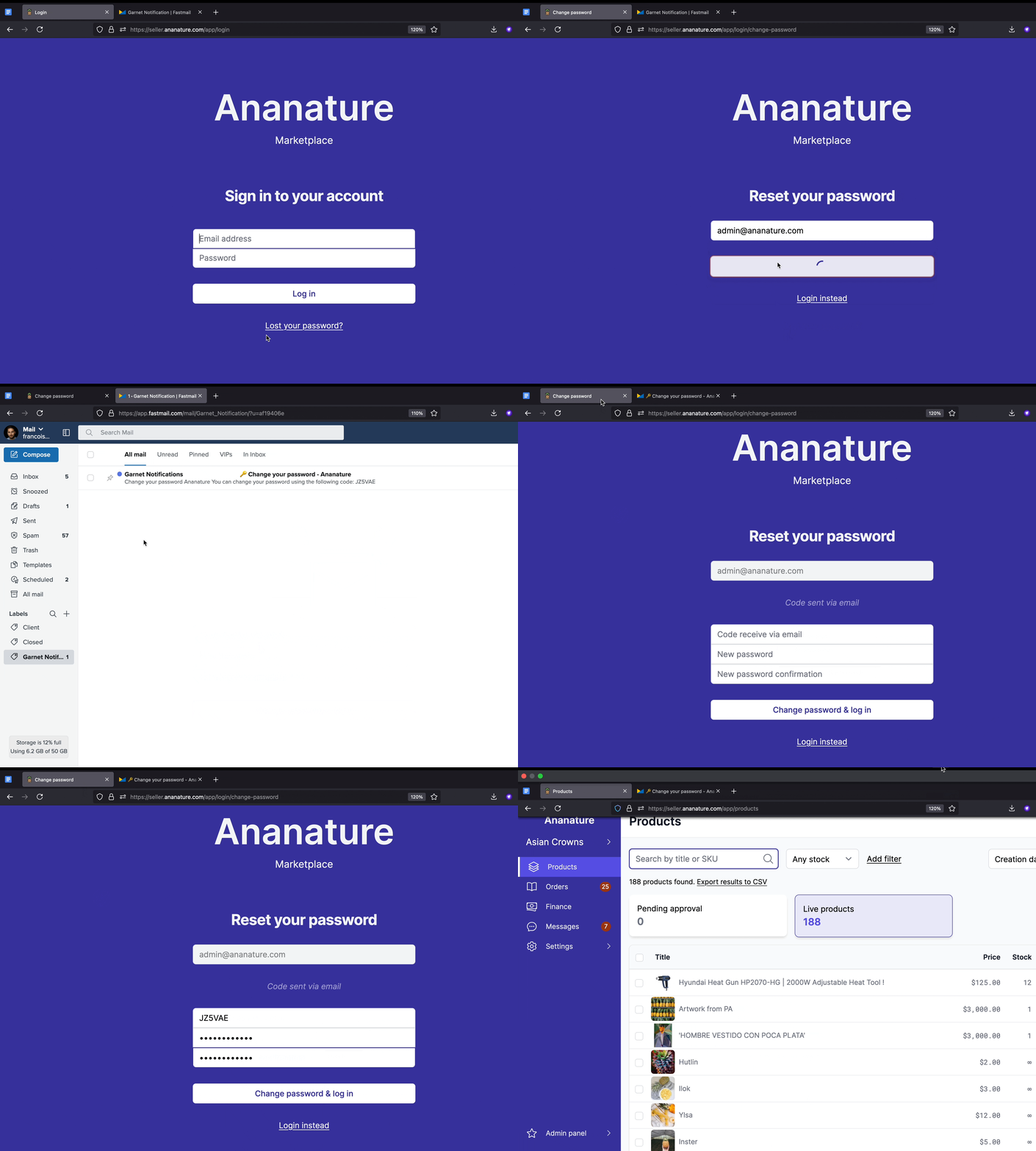
Change password demonstration
Invite the vendor again
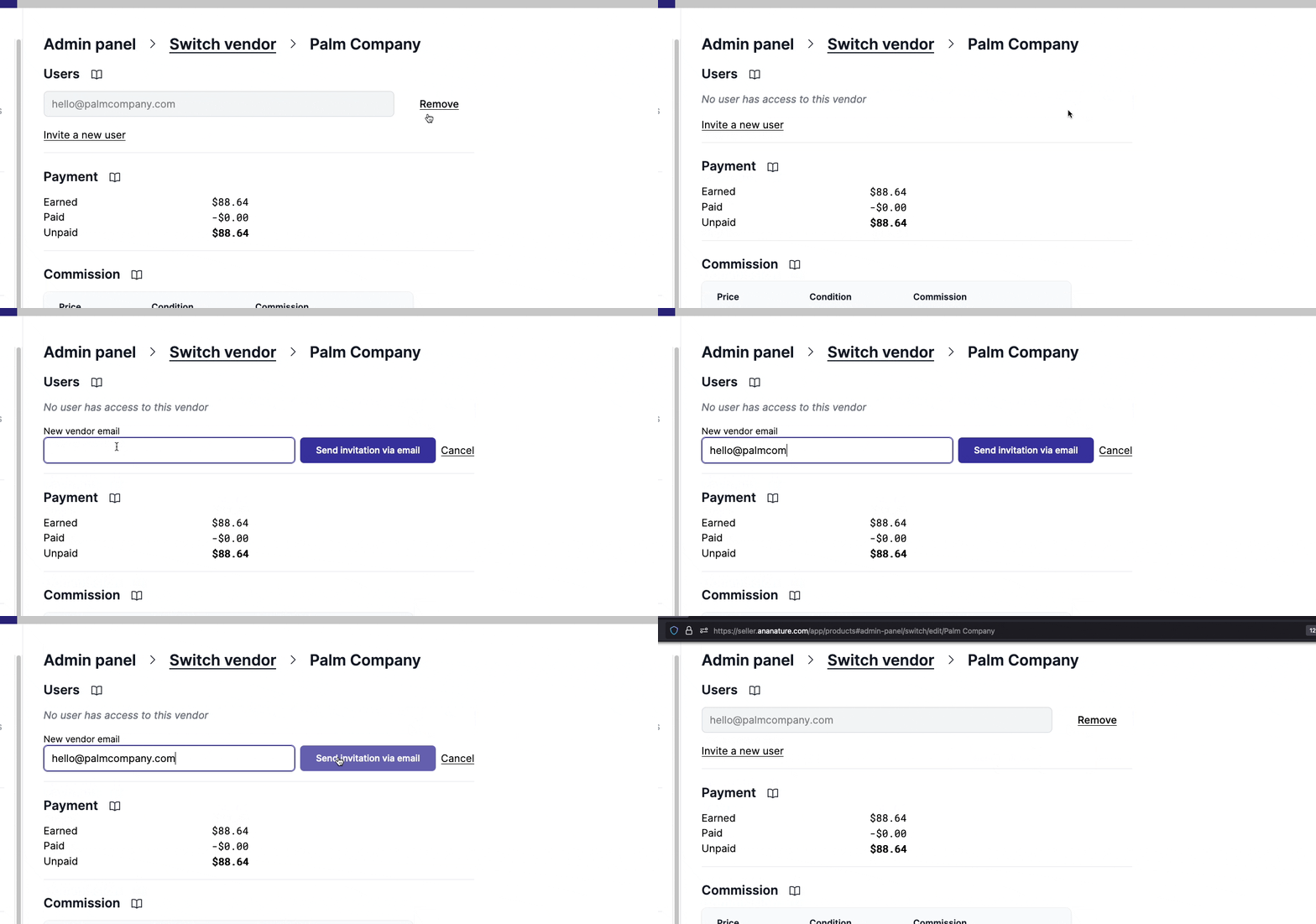
Alternatively, the marketplace can remove the access to the vendor and invite them again. The vendor will receive an invitation link (valid for 14 days) to access Common Goods portal and reset their password.


esc